Facing Google Business Profile Verification Problems? This complete troubleshooting guide helps you resolve every GBP verification problem quickly and effectively. Learn why your Google Maps business verification may fail, how to fix video, phone, email, or postcard verification issues, and the best practices to get your profile approved. Discover common mistakes, expert solutions, and step-by-step tips to verify your business successfully and improve your local visibility on Google Search and Google Maps. Whether your verification is pending, rejected, or unavailable, this guide provides practical answers to help you complete the verification process with confidence.
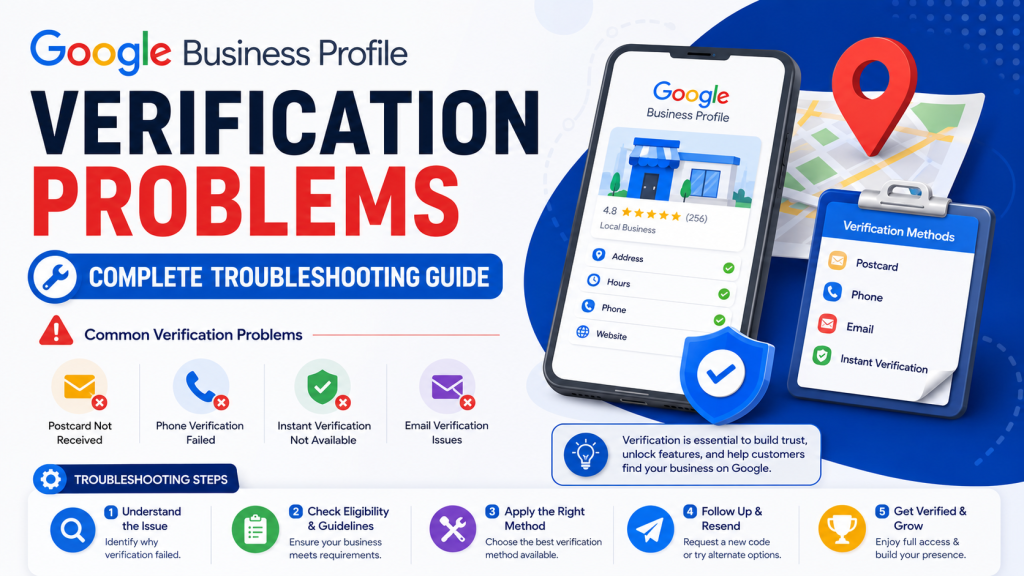
Google Business Profile Verification Explained: Everything You Need to Know
Google Business Profile verification is the process that confirms a business is authentic and that the owner has permission to manage its listing on Google. This important step helps protect users from fake profiles and ensures accurate information appears in local search results.
A verified profile allows businesses to update contact details, operating hours, photos, services, and customer responses with greater credibility. It also strengthens trust among potential customers who rely on Google to find reliable local businesses.
The Google Maps business verification process may include video, phone, email, or other verification methods depending on the business type and Google’s eligibility requirements. Completing the required steps correctly can improve the chances of successful approval.
Sometimes owners encounter a Google Business Profile verification issue because of inconsistent business details, missing signage, policy violations, or low-quality verification evidence. In many cases, reviewing the submitted information and ensuring everything matches official records can resolve the problem.
Keeping your profile accurate and following Google’s guidelines carefully is the best way to complete verification smoothly. Once approved, a verified listing can improve local visibility, help customers find your business more easily, and support long-term online growth through a trusted presence on Google Search and Maps.
Different Verification Methods to Solve Google Business Profile Verification Problems
Google offers several verification methods to confirm that a business is genuine and managed by an authorized owner. Choosing the available method and following the instructions carefully can reduce delays and improve the chances of successful approval.
One of the most common options is video verification, where business owners record their storefront, signage, equipment, and proof of access. Some businesses may also receive email or phone verification, while others may be asked to complete verification through alternative methods provided by Google based on eligibility.
If you experience Google Business Profile verification failed, review the submitted information and ensure that your business name, address, website, and other details are consistent across all platforms. Clear documentation and accurate information often help avoid unnecessary rejections.
Effective Google Business Profile troubleshooting includes checking for duplicate listings, confirming that permanent signage is visible, avoiding frequent profile edits during the review process, and ensuring that uploaded videos meet Google’s requirements. It is also important to use official business details that match legal records whenever possible.
By understanding the available verification methods and following best practices, business owners can complete the process more smoothly and build a trusted online presence that supports better visibility in local search results and on Google Maps.
Most Common Google Business Profile Verification Problems and How to Fix Them
Many business owners face challenges during the verification process, but most issues can be resolved by reviewing business details and following Google’s guidelines carefully. Understanding the common problems can save time and prevent unnecessary delays.
One frequent issue is Google Business Profile verification failed, which may happen because of incorrect business information, poor-quality verification videos, missing signage, duplicate listings, or policy violations. In some cases, repeated edits to the profile while verification is under review can also lead to complications.
To Verify Google Business Profile successfully, ensure that your business name, address, phone number, and website are accurate and consistent across all online platforms. If video verification is required, record a clear and continuous video showing your storefront, permanent signage, business equipment, and proof that you have access to the location.
It is also important to remove duplicate profiles, choose the correct business category, and avoid using misleading information or keyword stuffing in the business name. If your verification remains pending for an extended period, check for notifications from Google and provide any additional information requested.
Following these best practices improves the chances of approval and helps create a trustworthy business listing that customers can confidently find through Google Search and Google Maps.
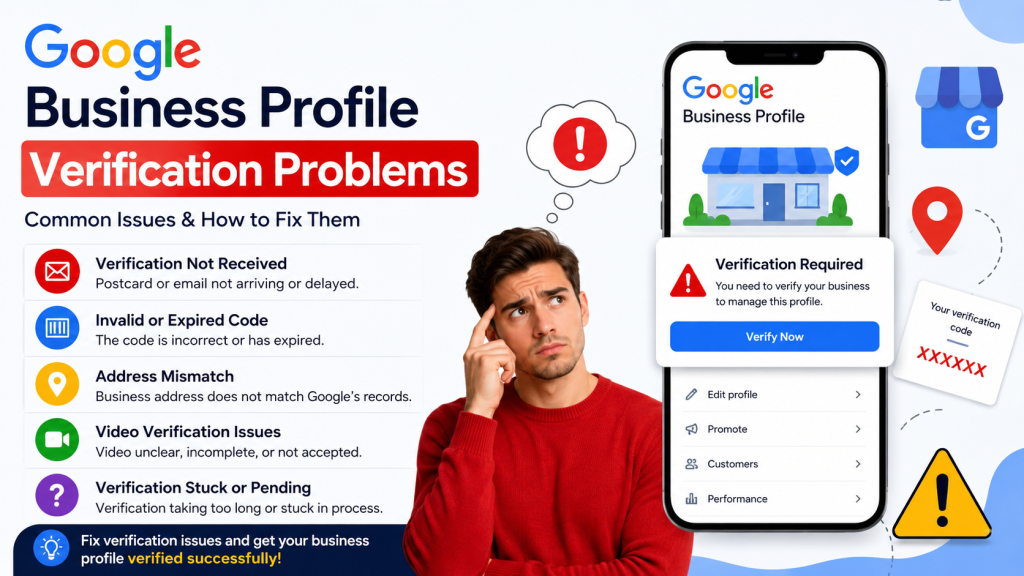
Top Reasons Why Google Business Verification Gets Rejected
Google may reject a business verification request for several reasons, especially when the submitted information does not meet its quality or authenticity standards. Understanding these issues can help business owners avoid delays and complete the process successfully.
One common reason is inconsistent business details, such as a different name, address, or phone number across the website, social media profiles, and official documents. Missing permanent signage, virtual office locations without clear eligibility, duplicate listings, or low-quality verification videos can also result in rejection.
Proper Google Business Profile troubleshooting starts with reviewing every detail before submitting the verification request. Make sure the business information is accurate, the location is genuine, and the verification evidence clearly shows ownership or management authority. Avoid unnecessary profile edits while Google is reviewing your submission, as frequent changes may slow the process.
If your verification request is rejected even after correcting the issues, you may need assistance from Google Business Profile support. Before contacting support, gather relevant documents, screenshots, and any requested proof of business operations to help explain your case. Providing complete and accurate information can improve the chances of resolving the issue quickly.
By following Google’s guidelines and maintaining consistent business information, you can reduce the risk of rejection and build a trusted presence on Google Search and Google Maps.
Step-by-Step Solutions to Fix Google Business Profile Verification Problems
- Review your business information: Before starting the Google Business verification process, make sure your business name, address, phone number, and website are accurate and consistent across all online platforms.
Choose the available verification method: Follow the verification option provided by Google, such as video, phone, email, or another approved method, and complete every step carefully.
Record a clear verification video: If video verification is required, show your permanent business signage, storefront, equipment, and proof that you manage the location.
Avoid unnecessary profile edits: Frequent changes to your business details while verification is pending can create a Google Business Profile verification issue and delay approval.
Remove duplicate listings: Search for duplicate business profiles and request their removal to prevent conflicts during verification.
Follow Google’s policies: Ensure your profile complies with all guidelines, including using a real business location and accurate business category.
Check for Google notifications: Review emails and dashboard alerts regularly for any additional instructions or document requests.
Resubmit only after corrections: If verification is rejected, fix all identified problems before submitting another request.
Contact support when necessary: If issues continue despite following the correct steps, reach out to Google’s official support channels with complete business documentation.
How to Record a Successful Google Business Profile Verification Video
Recording a proper Google Business Profile video verification can improve your chances of getting approved without unnecessary delays. Following the correct steps helps Google confirm that your business is genuine and that you are authorized to manage the listing.
As part of a reliable Business Profile verification guide, begin by recording the video in one continuous take without heavy editing or interruptions. Start outside your business location and clearly show the permanent sign displaying your business name. Then move inside the premises and capture business equipment, products, or workspaces that prove the business is actively operating.
Next, demonstrate that you have access to the location by unlocking the entrance, using employee-only areas, or showing business-related tools and documents where appropriate. Ensure the video is clear, well-lit, and stable so every detail is easy to identify.
Proper Google Business Profile troubleshooting also involves checking that your business name, address, and website information match the details on your profile before submitting the video. Avoid recording unrelated locations or temporary signage, as these may lead to rejection.
Finally, upload the video exactly as instructed by Google and wait for the review process to complete. Following these best practices can help reduce verification issues and increase the likelihood of a successful approval.
How Long Does Google Business Profile Verification Take?
The time required to complete Google Maps business verification depends on the verification method selected by Google and the accuracy of the information submitted. Some businesses receive approval within a few days, while others may need several weeks if additional reviews are required.
According to a reliable Business Profile verification guide, video verification is often reviewed after submission, but processing times can vary based on business type and the volume of requests. If Google requests more information, the review period may be extended until the required details are provided.
To avoid unnecessary delays in the Google Business verification process, ensure that your business name, address, phone number, website, and category are correct before starting verification. The submitted video or other verification evidence should clearly show permanent signage, proof of business operations, and your authority to manage the location.
Business owners should avoid making frequent edits to their profile while verification is pending, as changes may trigger additional checks and increase processing time. It is also recommended to monitor email notifications and the Business Profile dashboard for updates or requests from Google.
By submitting accurate information and following Google’s instructions carefully, most businesses can complete verification successfully and gain access to the full features of their Business Profile without unnecessary complications.
What to Do if Verification Remains Pending
If your business verification remains pending for an extended period, avoid submitting multiple requests or making unnecessary profile changes. Patience and following the correct steps can help prevent additional delays and improve the chances of approval.
According to a reliable Business Profile verification guide, the first step is to review all submitted business information, including your name, address, phone number, website, and category. Ensure that these details are accurate and consistent with your official records and online presence.
A common Google Business Profile verification issue occurs when the uploaded verification video or supporting information does not clearly demonstrate that the business is genuine. If requested, provide clear evidence such as permanent signage, business equipment, and proof that you have access to the location.
If your request eventually results in Google Business Profile verification failed, carefully read any notifications from Google to understand the reason for rejection. Correct the identified problems before attempting another verification request. Repeated submissions without fixing the underlying issue may lead to further delays.
It is also helpful to check your email and Business Profile dashboard regularly for updates or additional instructions. By ensuring that all information is correct and following Google’s verification requirements, you can increase the likelihood of completing the process successfully and gaining full access to your business profile.