A Google Business Profile for Hotels is one of the most effective tools for increasing your hotel’s online visibility and attracting more direct bookings. When travelers search for hotels on Google Search or Google Maps, a well-optimized profile helps your property appear in local results with essential details like photos, amenities, reviews, contact information, and booking links.
Following the best practices for Google Business Profile Optimization for Hotels can improve your Google Maps ranking, build trust through positive guest reviews, and enhance your local SEO performance. By keeping your profile complete, accurate, and regularly updated, hotels can stand out from competitors, reach more potential guests, and convert online searches into confirmed reservations.
What is Google Business Profile for Hotels?
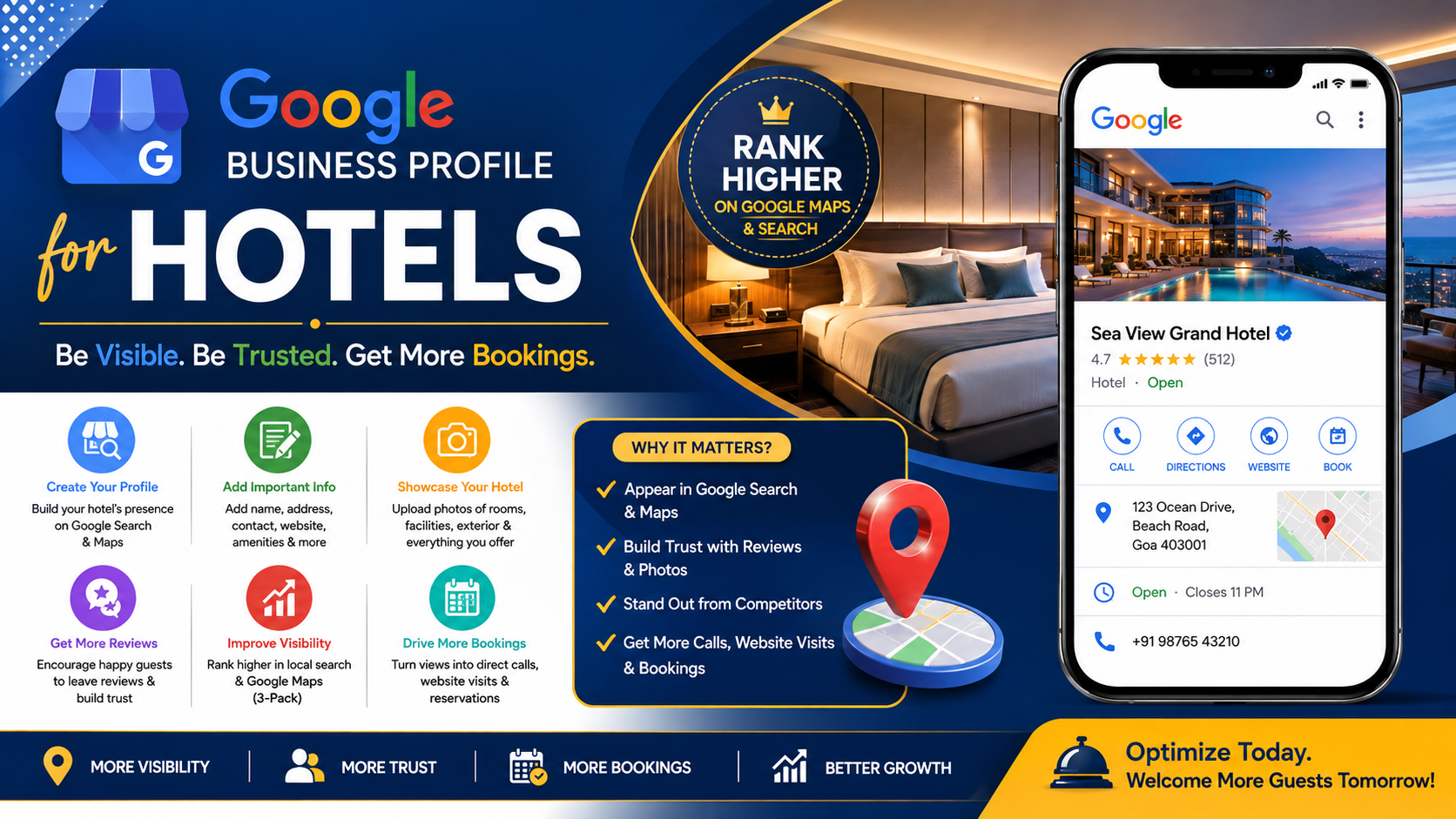
A Google Business Profile for Hotels is a free business listing that helps hotels appear on Google Search and Google Maps when travelers look for accommodation in a specific location. It displays essential information such as the hotel name, address, phone number, website, business hours, room amenities, photos, guest reviews, directions, and booking links. When someone searches for terms like “hotels near me” or “best hotel in Pune,” a well-optimized Hotel Google Business Profile increases the chances of your property appearing in local search results. This makes it easier for potential guests to discover your hotel, compare it with competitors, and make direct booking decisions.
A Google Business Profile for Hotels works by collecting and displaying accurate business information that Google uses to match your hotel with relevant local searches. Unlike a hotel website, which provides detailed information about rooms, packages, and online reservations, a Google Business Profile acts as your hotel’s digital storefront on Google, allowing users to view key details instantly without visiting your website. This profile is essential for Hotel Local SEO because it improves your visibility in Google Maps, builds trust through customer reviews, and increases phone calls, website visits, and direct bookings. Regularly updating your profile with fresh photos, posts, amenities, and accurate information helps improve your Google Maps ranking, strengthens your Google Business Profile Optimization for Hotels, and attracts more local and international travelers.
How to Create a Google Business Profile for Hotels and Attract More Guests
Create Your Profile
To create a Google Business Profile for Hotels, visit Google Business Profile and sign in using your Google account. Enter your hotel’s official business name exactly as it appears on your website and other online directories. Avoid adding unnecessary keywords to your business name, as this may violate Google’s guidelines. Creating a complete Hotel Google Business Profile is the first step toward improving your online presence, increasing visibility in Google Search and Google Maps, and attracting more travelers searching for accommodation in your area.
Choose the Correct Hotel Category
Selecting the right business category is essential for Google Business Profile Optimization for Hotels. Choose Hotel as your primary category and add relevant secondary categories if applicable, such as Resort Hotel, Business Hotel, Budget Hotel, Luxury Hotel, or Extended Stay Hotel. Accurate categories help Google understand your services and improve your Google Maps ranking for relevant local searches. Choosing the correct category also increases your chances of appearing when users search for hotels with specific amenities or travel preferences.
Add Business Information
Complete every business detail with accurate and up-to-date information. Include your hotel address, phone number, website, booking URL, email address, check-in and check-out times, amenities, accessibility features, and business description. Upload high-quality photos of guest rooms, the lobby, dining areas, swimming pool, parking, and nearby attractions. A fully completed Google Business Profile for Hotels builds trust with potential guests, improves Hotel Local SEO, and encourages more direct bookings through your profile.
Verify Your Profile
After entering your business details, verify your profile using Google’s available verification methods, such as video verification, phone, email, or postcard, depending on your eligibility. Verification confirms that your hotel is legitimate and allows your profile to appear publicly on Google Search and Google Maps. A verified Google Business Profile for Hotels provides access to valuable features like responding to reviews, publishing posts, tracking performance insights, and managing customer interactions.
Complete Every Profile Section
To maximize the benefits of Google Business Profile Optimization for Hotels, fill out every available section of your profile. Add hotel attributes, services, booking links, FAQs, special offers, and regularly publish Google Posts. Encourage satisfied guests to leave reviews and respond to every review professionally. Keeping your Google Business Profile for Hotels complete, accurate, and regularly updated strengthens your Hotel Local SEO, improves your Google Maps ranking, enhances customer trust, and helps attract more guests and direct bookings.
How Regular Google Posts Help Your Google Business Profile for Hotels Rank Higher
Regularly publishing Google Posts keeps your Google Business Profile for Hotels active and relevant, helping your hotel attract more attention in Google Search and Google Maps. Fresh updates signal to Google that your business is well-maintained, which can improve hotel local search visibility and increase guest engagement. Posting valuable content also encourages more profile visits, phone calls, website clicks, and direct booking inquiries while strengthening your hotel’s online reputation.
Promote Weekend Offers to attract short-stay travelers looking for quick getaways and share Festival Discounts during holiday seasons to increase occupancy. Highlight exclusive Wedding Packages for couples planning destination weddings and advertise Corporate Stay deals for business travelers seeking comfortable accommodations. These timely offers keep your profile informative and encourage potential guests to choose your hotel over competitors.
You can also feature Family Packages with kid-friendly amenities, announce upcoming Hotel Events such as live music, conferences, or celebrations, and promote attractive Seasonal Deals during summer, winter, or festive periods. Add high-quality images, compelling descriptions, and a strong call-to-action such as Book Now or Learn More to improve engagement. Using keywords like Hotel Google Profile, Google Maps Marketing, Hotel Search Visibility, Local Hotel Marketing, Hotel Promotions, Google Business Updates, Direct Hotel Reservations, Hotel Digital Marketing, Google Maps Optimization, and Hotel Online Presence naturally within your posts helps improve discoverability. Consistently publishing relevant Google Posts builds customer trust, increases interaction, supports Google Business Profile Optimization for Hotels, and enhances your chances of ranking higher in local search results while generating more direct bookings.
Increase Hotel Bookings with Google Reviews on Your Google Business Profile
Guest reviews are one of the most influential factors in attracting new customers and increasing direct bookings. A well-managed Google Business Profile for Hotels with authentic, positive reviews builds trust and encourages travelers to choose your property over competitors. Many guests read reviews before making a reservation, making customer feedback an essential part of Hotel Business Profile Optimization. Hotels with higher ratings, detailed guest experiences, and prompt management responses often receive more clicks, calls, website visits, and booking inquiries through Google Search and Google Maps.
Positive reviews also play a vital role in improving Hotel Google Maps Ranking and strengthening Hotel Local SEO. Google considers review quality, quantity, freshness, and business engagement when determining local search rankings. Encourage satisfied guests to leave honest reviews after checkout by sharing a direct review link through email, WhatsApp, or SMS. Respond professionally to every review, whether positive or negative, to demonstrate excellent customer service and show potential guests that you value their feedback. Regular interaction with reviewers helps improve customer confidence and supports long-term online reputation management.
To maximize the benefits of Google Maps SEO for Hotels, ask guests to mention specific experiences such as clean rooms, friendly staff, excellent amenities, delicious food, convenient location, or outstanding hospitality in their reviews. Detailed reviews provide valuable information for future travelers and help Google better understand your hotel’s services. Combine strong review management with updated photos, accurate business information, and regular Google Posts to create a complete and engaging profile. Consistently earning genuine guest reviews, maintaining a high star rating, and actively responding to customer feedback will strengthen your Hotel Business Profile Optimization, improve Hotel Google Maps Ranking, enhance Hotel Local SEO, and increase your hotel’s visibility in local search results. This comprehensive approach attracts more qualified travelers, builds lasting credibility, and generates more direct hotel bookings without relying heavily on third-party booking platforms.
Showcase Your Hotel with High-Quality Photos on Google Business Profile
High-quality photos are essential for creating a strong first impression and attracting more guests through your Google Business Profile Listing for Hotels. When travelers search for accommodation, they often compare hotel images before making a booking decision. Clear, professional photos of your rooms, reception, lobby, restaurant, swimming pool, parking area, and nearby attractions make your Hotel Google Business Listing more appealing and help build trust with potential guests.
Uploading fresh images regularly is also an important part of Hotel SEO. Google favors business profiles that are active and provide updated, relevant content. Adding new photos of renovated rooms, seasonal decorations, special events, and hotel amenities helps keep your profile engaging and encourages users to spend more time exploring your listing. This increased engagement can lead to more profile views, phone calls, website visits, and direct booking inquiries.
Quality photography also supports Local SEO for Hotels by improving your hotel’s visibility in local search results. A complete and visually attractive business profile gives travelers confidence in your services and helps your hotel stand out from nearby competitors. Use high-resolution images that accurately represent your property, maintain consistent branding, and highlight your best features to enhance your online reputation.
To improve your presence on Google Maps for Hotels, upload a variety of authentic photos, including guest rooms, suites, dining areas, meeting spaces, fitness centers, gardens, and local attractions. Encourage satisfied guests to share their own photos and experiences, as user-generated content increases credibility and trust. Regularly updating your Google Business Profile Listing for Hotels with professional images, accurate information, and positive guest reviews strengthens your local search performance, enhances customer confidence, and increases your chances of attracting more travelers and generating direct hotel bookings.
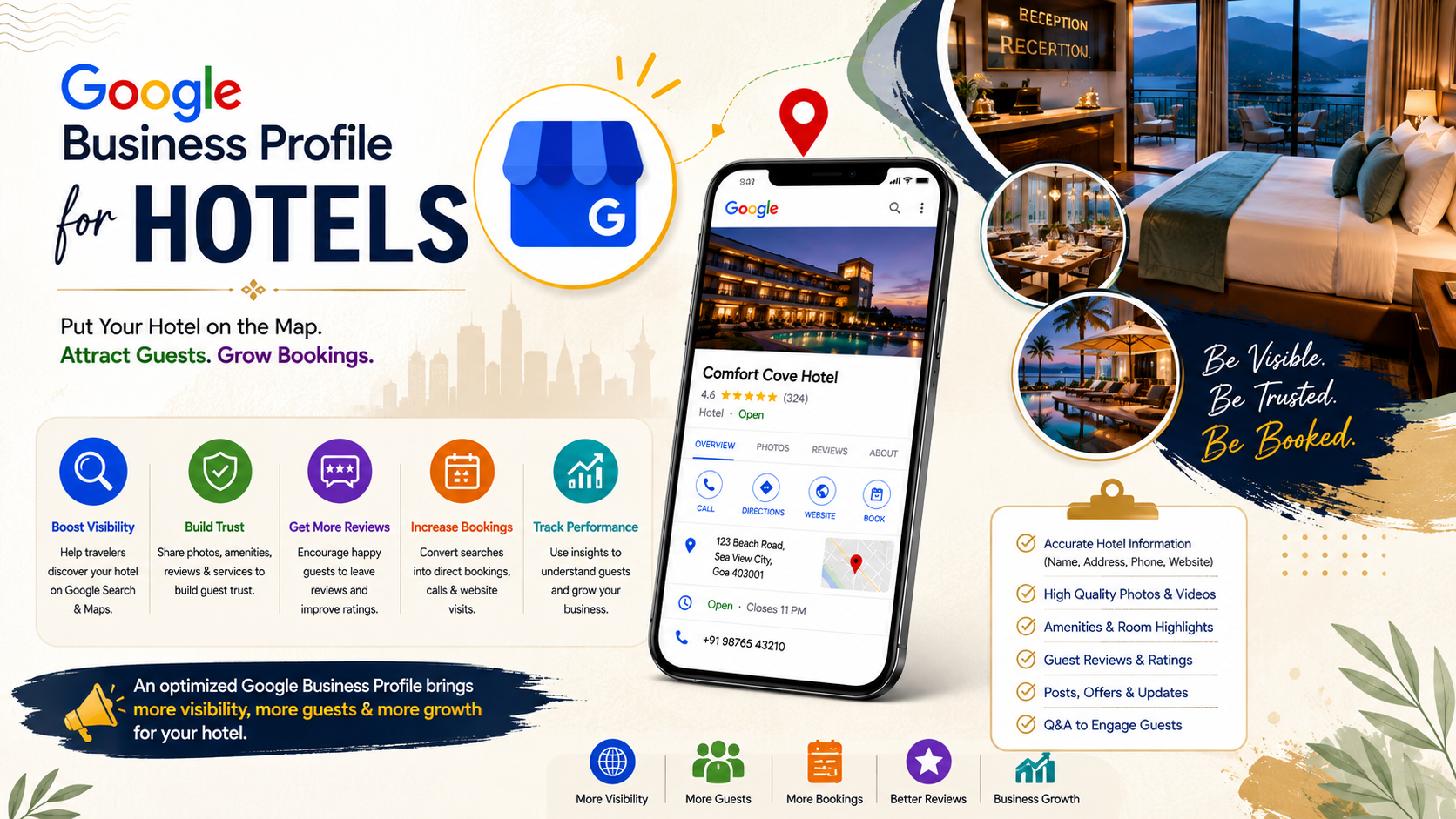
Unlock More Hotel Bookings with Google Business Profile Best Practices
Optimizing your Google Business Profile for Hotels is one of the most effective ways to increase online visibility, attract more travelers, and generate direct bookings. A complete and accurate profile helps your hotel appear in Google Search and Google Maps, making it easier for potential guests to find your property. By providing updated contact information, business hours, amenities, booking links, and a detailed hotel description, you create a professional online presence that builds trust and encourages more reservations.
To achieve better results, regularly update your profile with high-quality photos, Google Posts, and seasonal offers. Encourage satisfied guests to leave genuine reviews and respond to every review promptly. Positive customer feedback improves your hotel’s credibility and supports Hotel Google Maps Ranking by showing Google that your business is active and trusted. Keeping your profile fresh with new content also improves customer engagement and increases profile interactions.
Strong Hotel Local SEO depends on maintaining accurate business information across all online platforms. Ensure your hotel name, address, phone number, and website are consistent everywhere. Select the correct business categories, highlight hotel amenities, and add relevant attributes that help travelers understand what your property offers. These best practices improve your Google Business Profile Optimization for Hotels and increase your chances of appearing in local search results.
A well-managed Google Business Profile Listing for Hotels is more than just a business listing—it is a powerful marketing tool. Combined with professional photos, authentic guest reviews, regular updates, and optimized business information, it strengthens your Google Maps SEO for Hotels and helps your property stand out from competitors. By consistently following these best practices, your hotel can improve local search visibility, attract more qualified guests, increase direct bookings, and build a strong online reputation that supports long-term business growth.